Travel by Domolytics
From twenty years of spreadsheets to one simple travel planner
The story of why I built it, and what it can do for your next trip.
It started with a suitcase and a spreadsheet
I have been travelling for about twenty years. Family holidays, city breaks, road trips and business trips. I love every part of it, including the planning.
For most of those years I planned everything in spreadsheets. One tab for flights. One for hotels. One for the rental car. Another for money, with a currency rate I typed in by hand and forgot to update. Booking emails sat in my inbox, and the "real" plan lived in my head.
It worked, more or less. But it was never convenient. Spreadsheets don't know what a flight is. They don't know that the hotel in Split starts the day the car is picked up in Venice. They look terrible on a phone at the airport. And when someone asked "what time do we land?", I had to scroll through three tabs to find out.
So one day I decided to build the tool I always wanted: one place for every trip, every booking and every expense, that works on a computer and on a phone, and that I can share with the people I travel with. That tool is Travel by Domolytics.
Below I'll walk you through it with a demo account. It holds a family summer trip to Slovenia, Croatia and Italy, and a business trip to Melbourne. All the screenshots come from the live site.
All your trips in one place
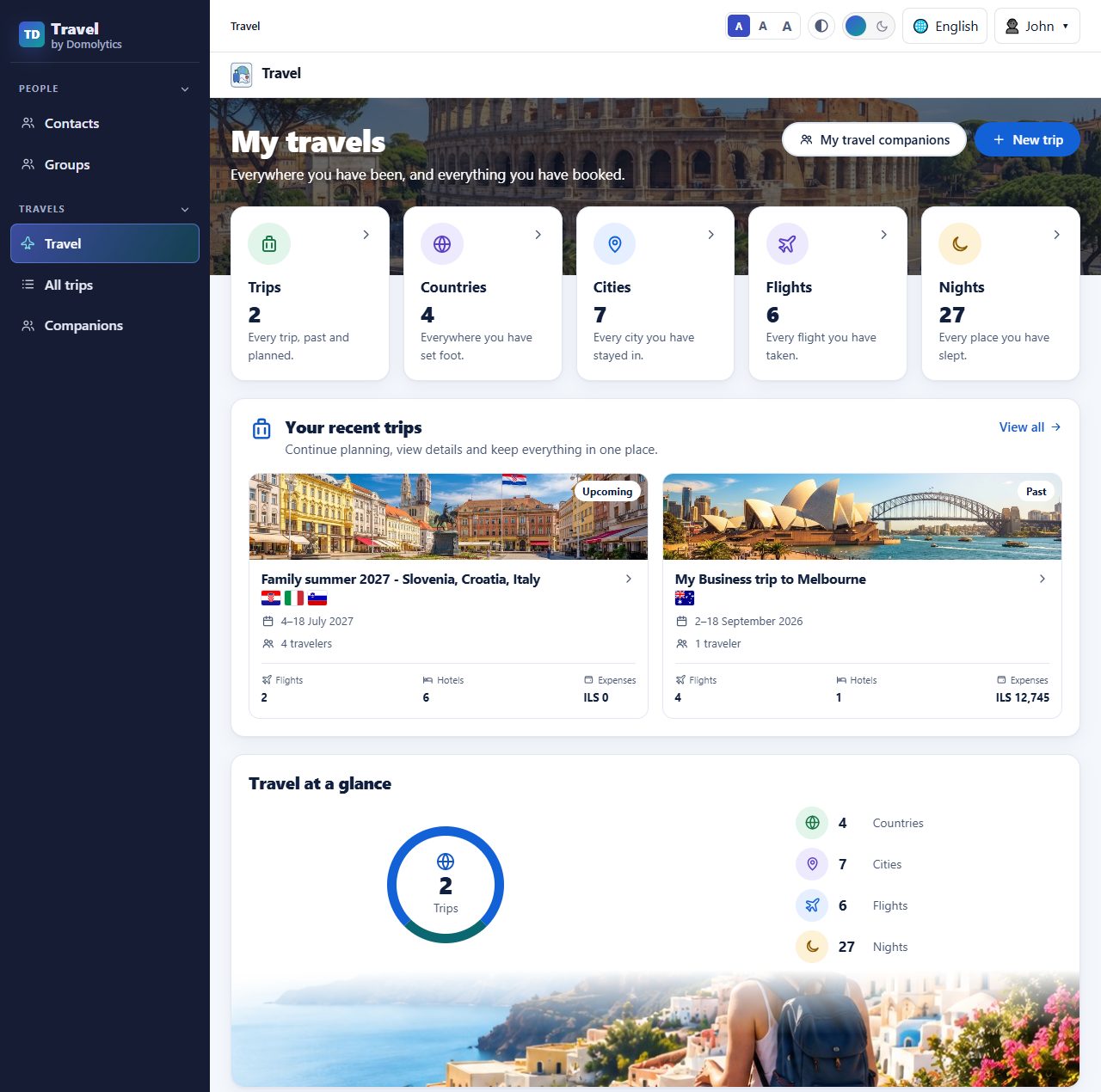
Create your trips: past, current and future. The home page gives you a quick summary: how many trips, countries, cities, flights and nights. Your recent trips sit right underneath, each marked Upcoming or Past.
 (full-size image)
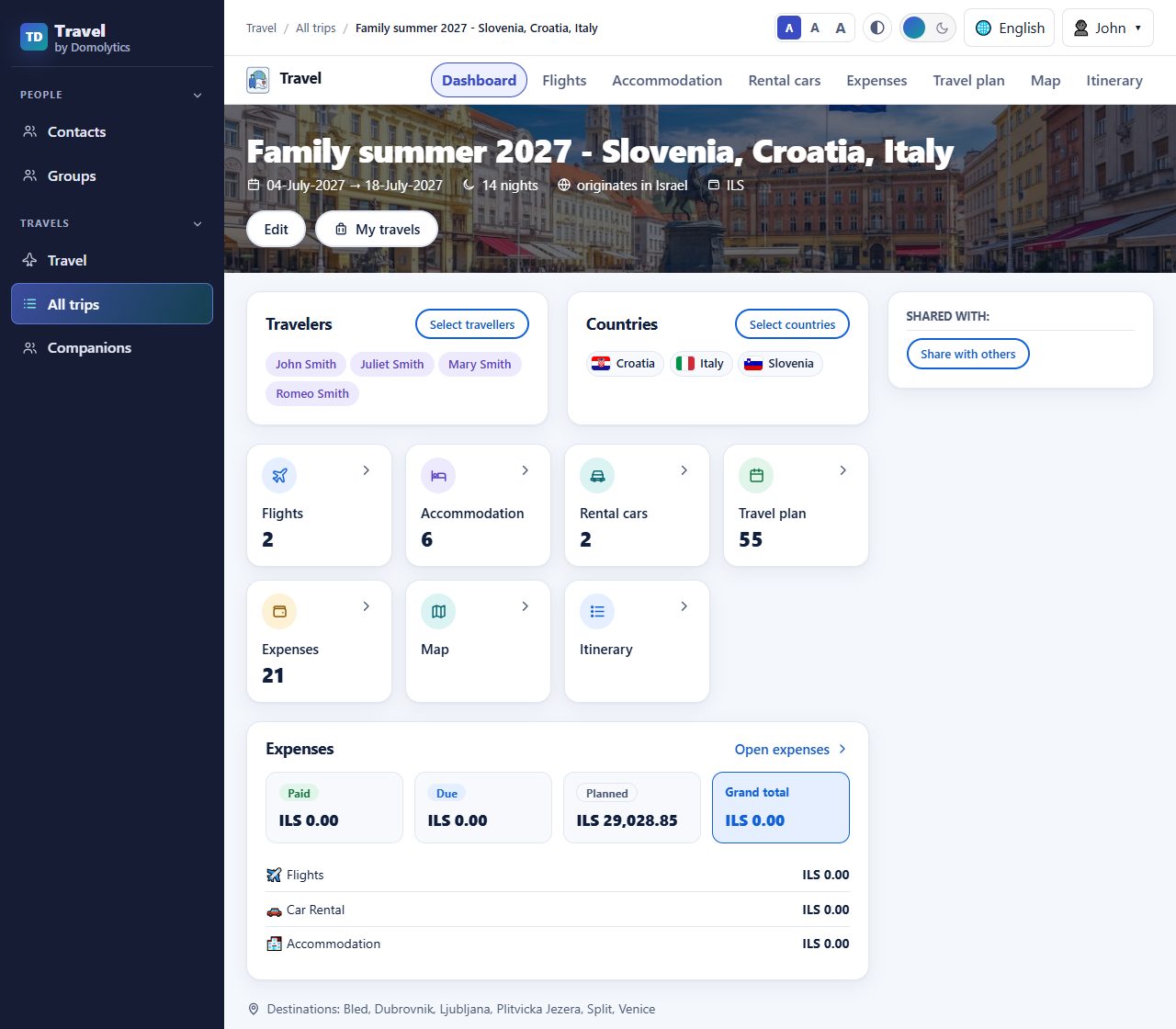
Open a trip and you land on its dashboard. You see who is travelling, which countries you'll visit, and a tile for each part of the trip: flights, accommodation, rental cars, the travel plan, expenses, the map and the itinerary.
 (full-size image)
Flights, with everything that goes with them
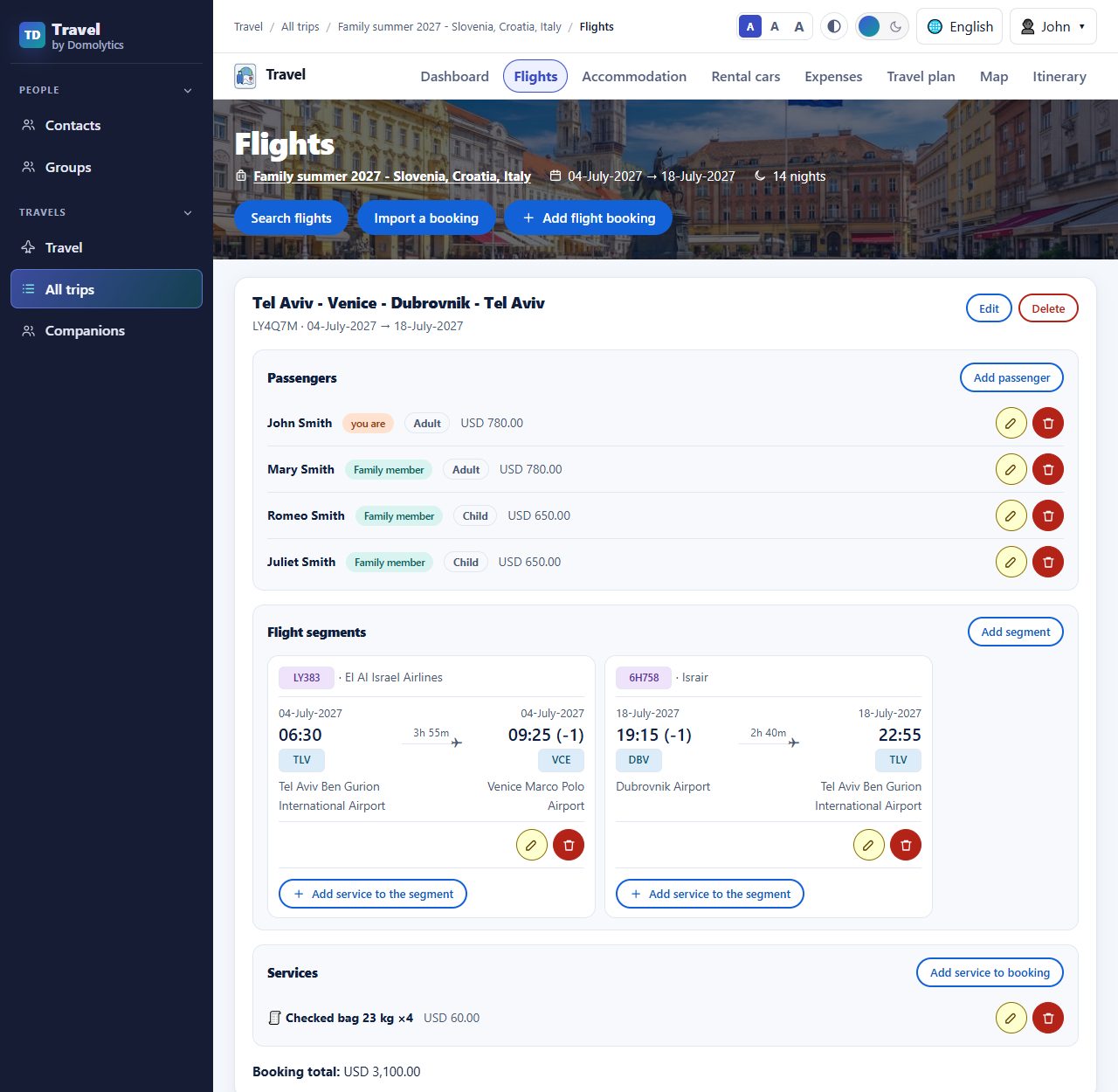
A flight booking holds the booking reference, every segment with airports and local times, the passengers with their ticket prices, and extras such as checked bags. Times are shown in local time, with a small "(-1)" note when the destination is behind your home time zone, so you never get confused about when you actually land.
 (full-size image)
Layovers and stopovers, worked out for you
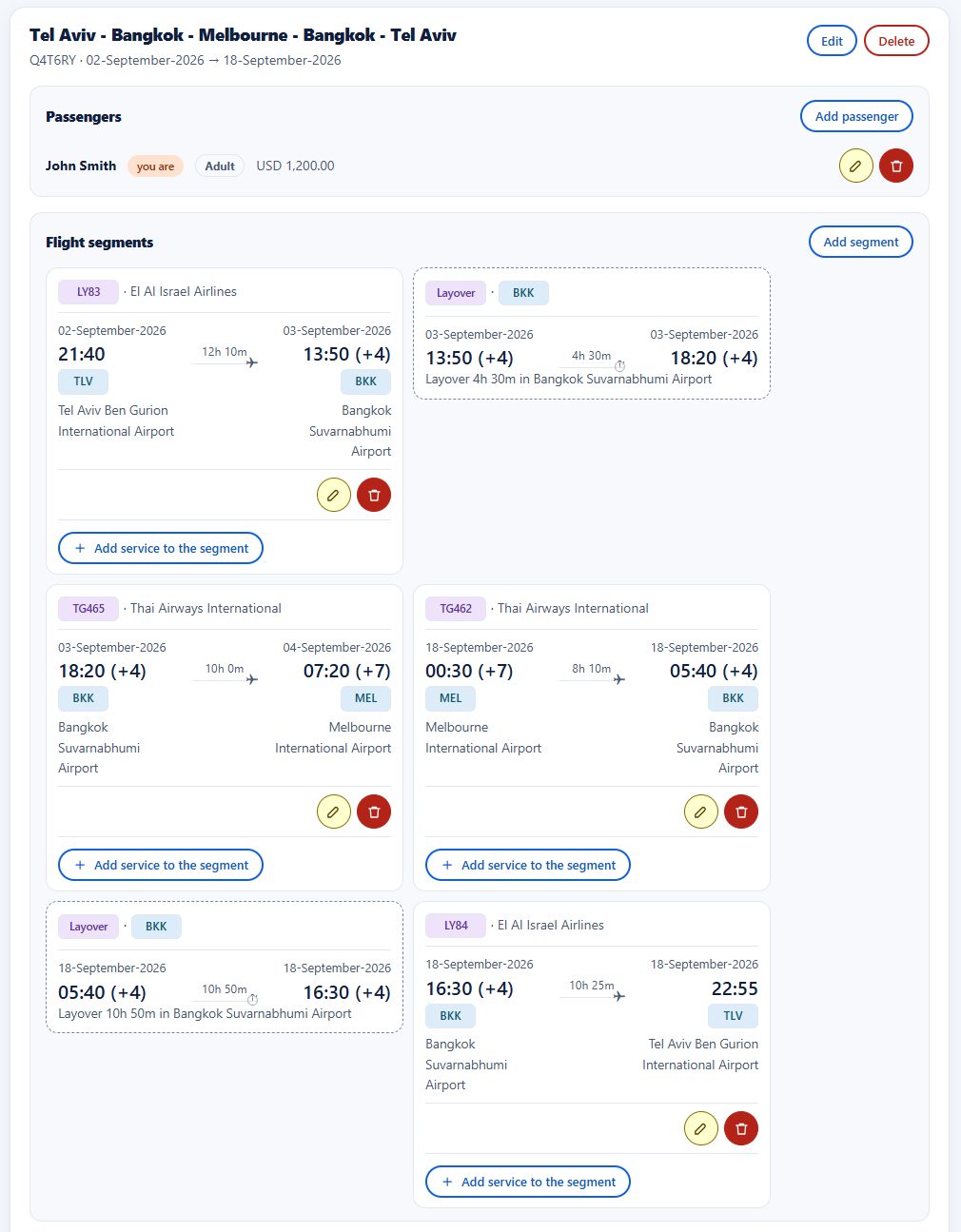
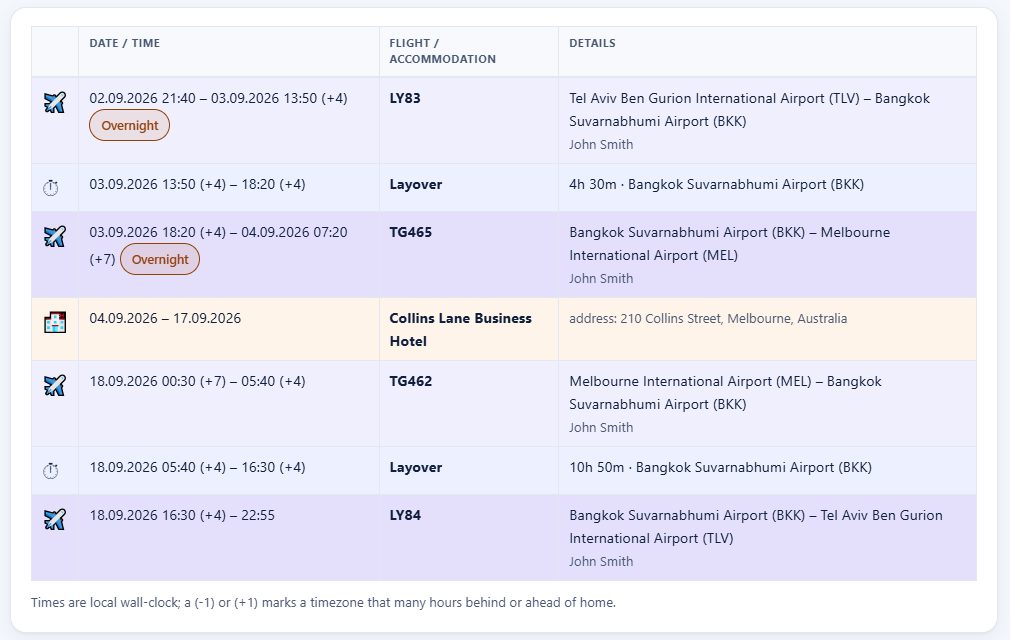
Long trips rarely fly direct. My trip to Melbourne goes through Bangkok both ways. When one flight lands at the airport the next one leaves from, the app spots the connection and adds a card between the two flights: how long you wait, where, and from when to when. Under 24 hours it's a layover. A day or more becomes a stopover, a good excuse to see the city.
 (full-size image)
The layovers also show up in the travel plan and in the itinerary, each on a line of its own between the two flights. A flight that lands on a later date than it leaves gets a small "Overnight" mark, so the date change never catches you out.
 (full-size image)
Accommodation, room by room
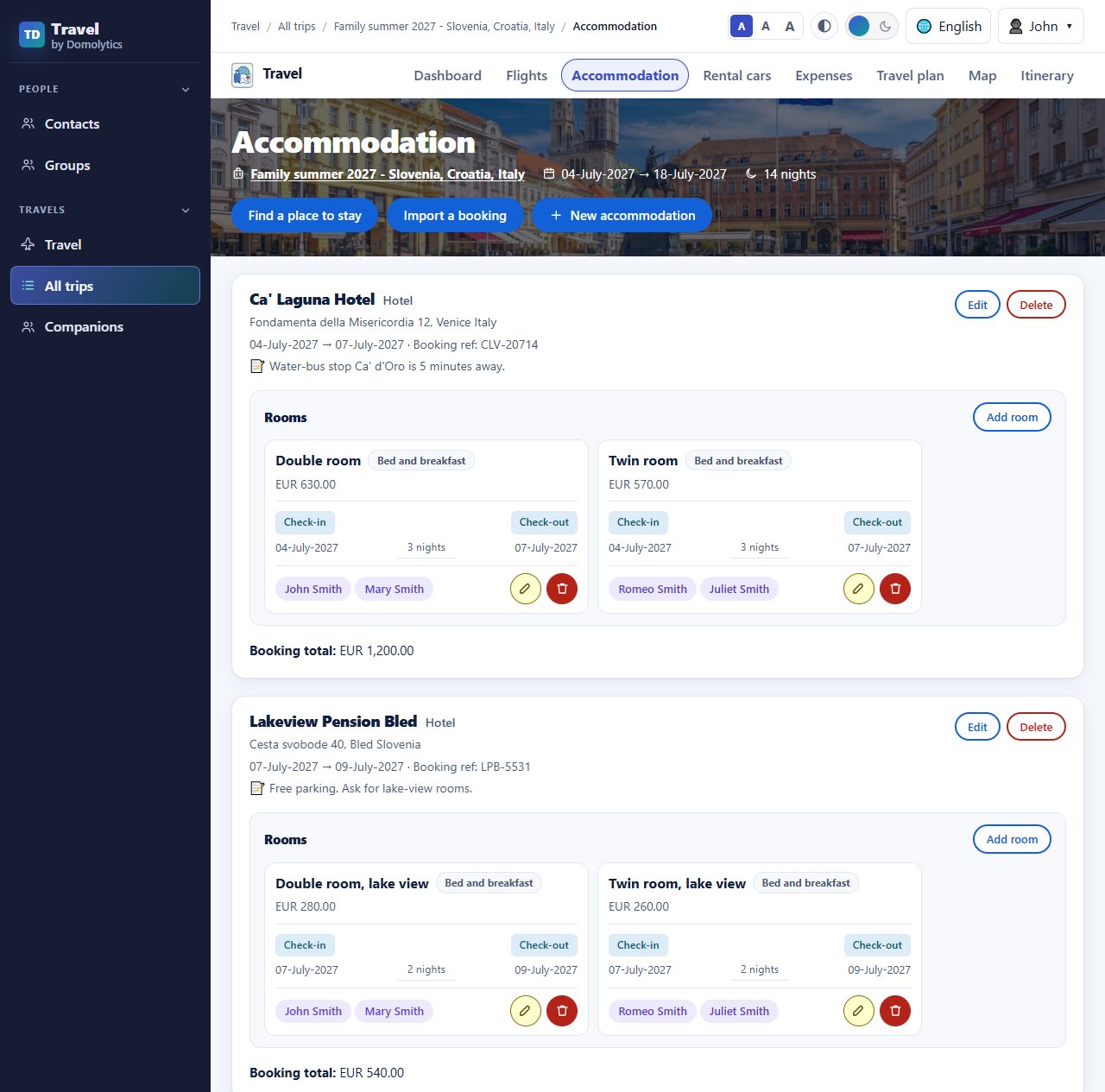
Every hotel, guesthouse or apartment gets its own card with the address, dates, booking reference and your own notes ("Ask for lake-view rooms"). Inside you list the rooms, who sleeps in each one, the meal plan and the price. When a family splits into two rooms, you can see exactly who is where.
 (full-size image)
Rental cars, and the kilometres you drive
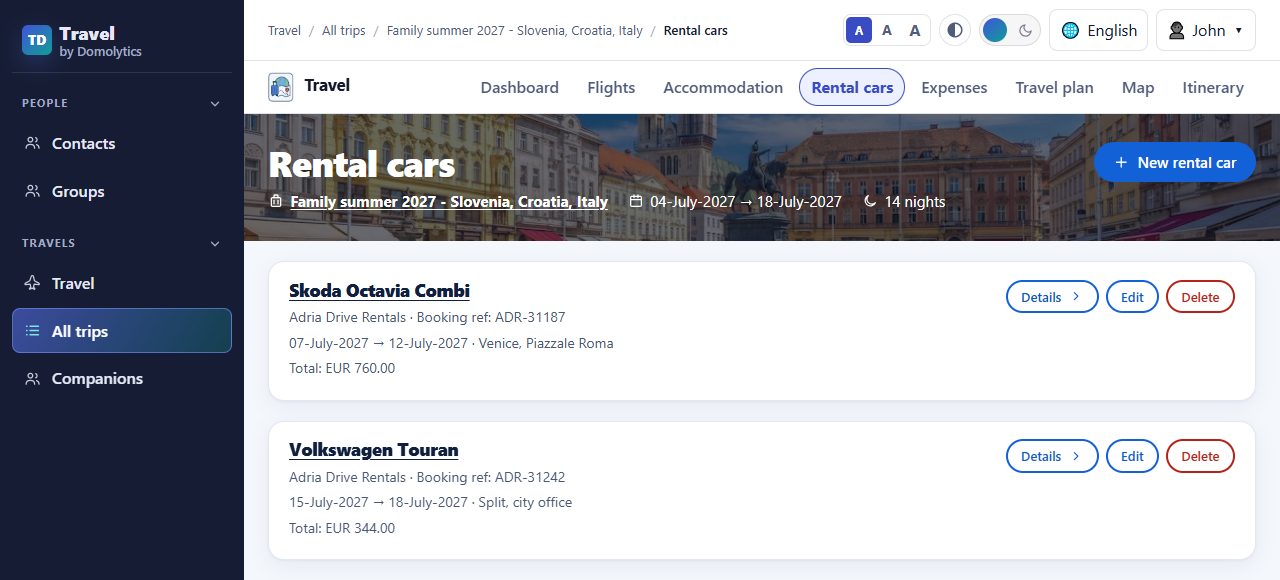
This part is close to my heart. I've rented a lot of cars, and many rental companies limit how far you may drive each day. Go over the limit and you pay extra for every kilometre.
 (full-size image)
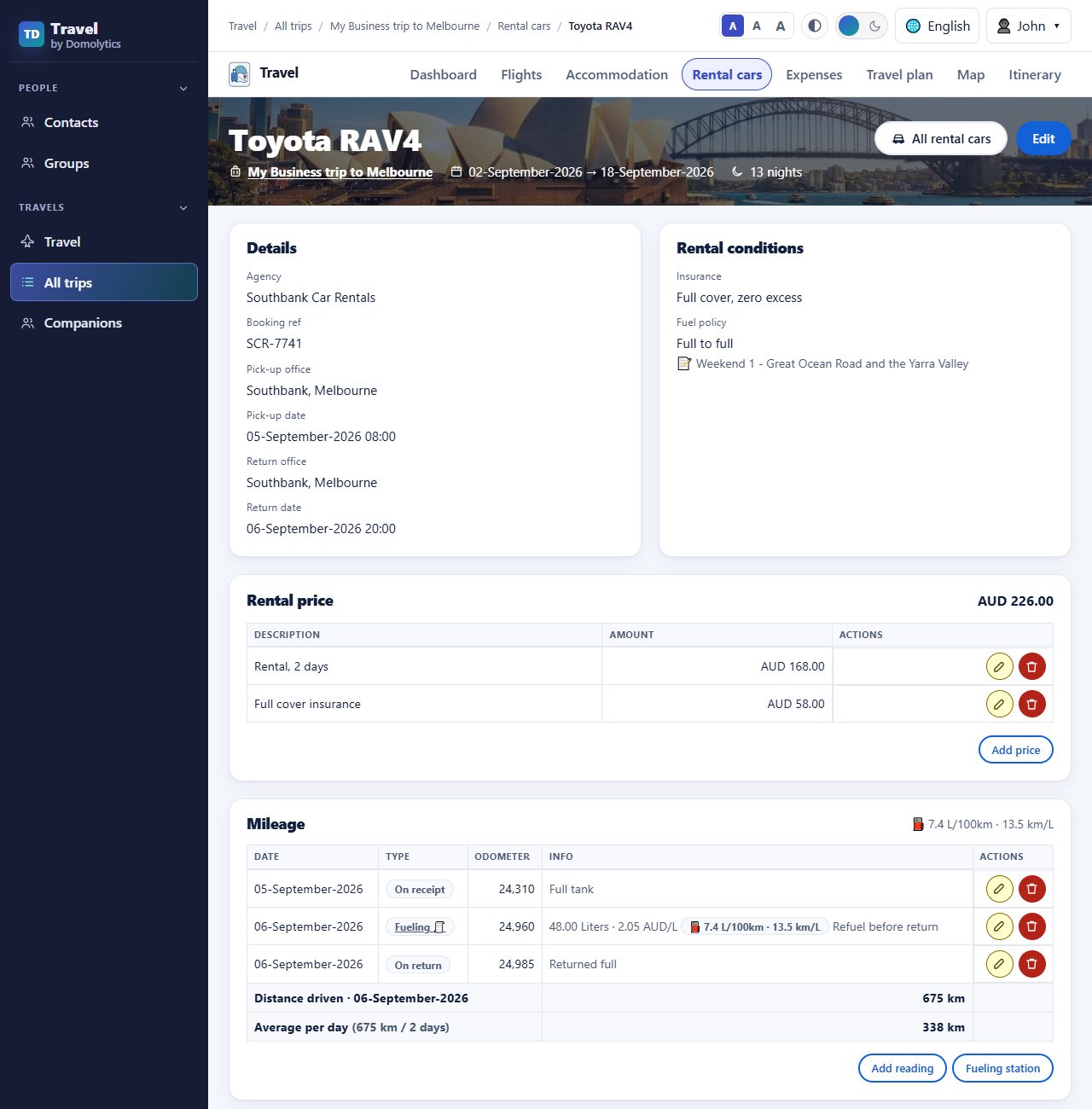
For every car you keep the pick-up and return details, the rental conditions, and the prices. Then you log the odometer when you pick the car up, when you refuel and when you return it. You can also log it at the start or the end of each day. The app works out the distance driven, how far you drove each day, and the average distance per day. You can see right away if you are inside the daily limit. As a bonus, each fill-up shows your fuel use in L/100 km and km/L.
 (full-size image)
Expenses, sorted by category, in the currency you paid
Every cost of the trip lives on the expenses page, grouped into categories: flights, car rental, accommodation, and categories you add yourself. Each expense has a status (planned, due or paid) and a payment method, and you can filter and sort by them.
Now the part I always wanted. Each trip has a base currency. I pay in dollars, euros and Australian dollars, but I think in shekels. So I set the trip's base currency once:
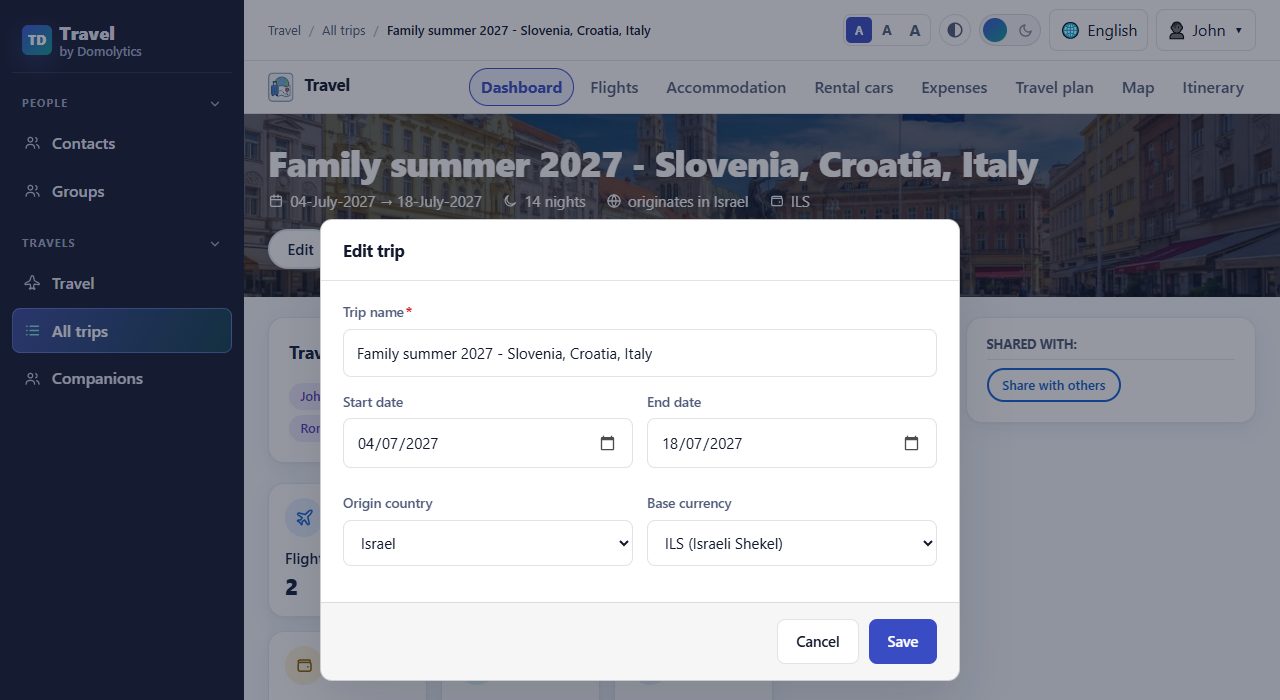 (full-size image)
From then on, every expense is entered in the currency you actually paid in, and the app converts it to your base currency using live exchange rates. You see the rate and the converted amount for every line, a subtotal for each category, and the totals for the whole trip.
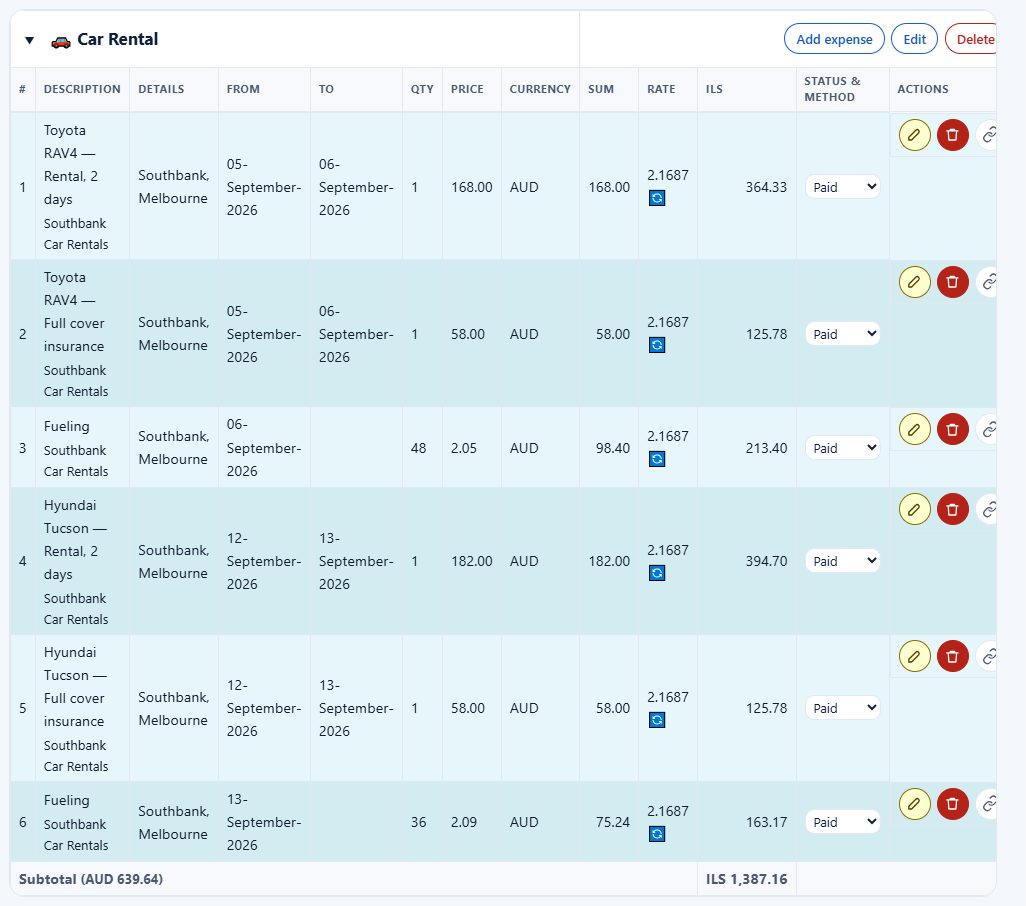 (full-size image)
At the top, the trip totals are split into paid, due and planned, and you also see how much you spent in each original currency.
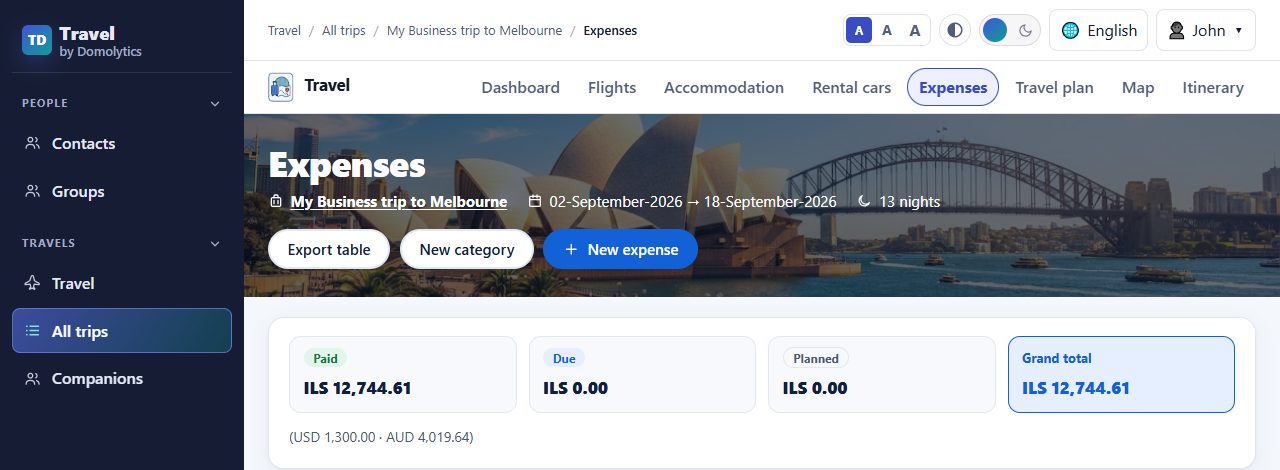 (full-size image)
 (full-size image)
Need it in a spreadsheet after all? The Export table button gives you an Excel file.
Travel together: companions
Few of my trips are solo. You keep a list of the people you travel with (family, friends, colleagues) and reuse them on every trip. Pick them as travellers on a trip, put them on flight bookings and assign them to hotel rooms. The list also shows how many trips you've taken with each of them.
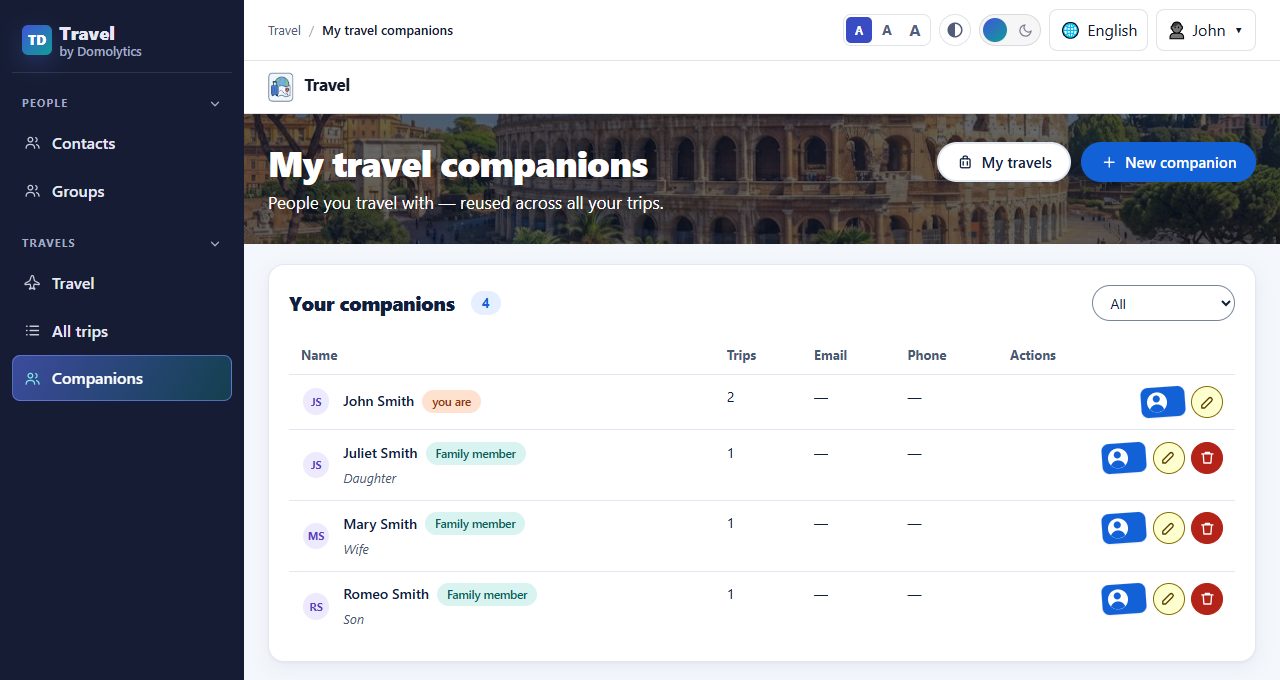 (full-size image)
You can also share a whole trip with another user, as an editor who can help plan or as a watcher who can only look. Use the Share with others button on the trip dashboard.
Plan every day in advance
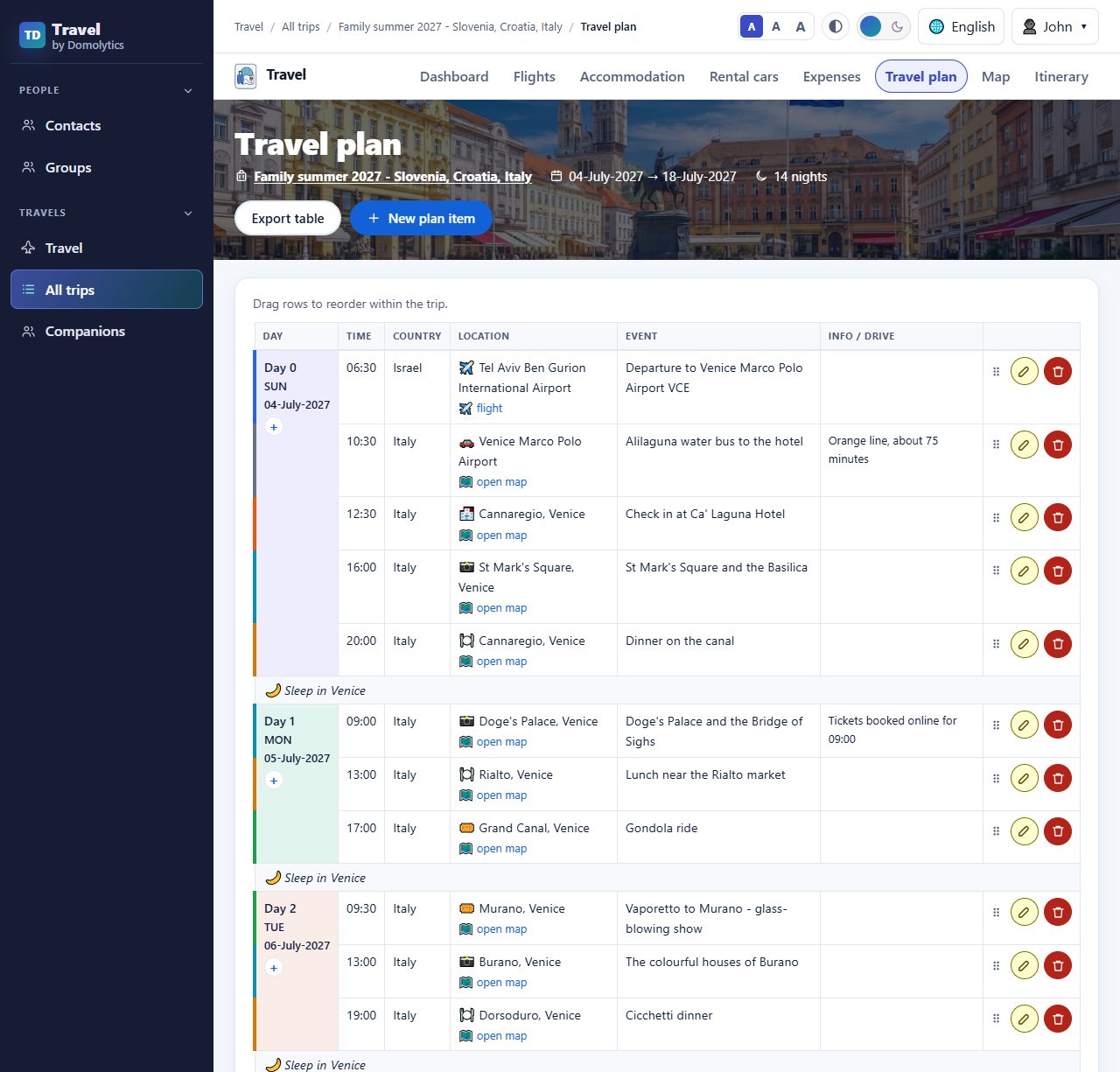
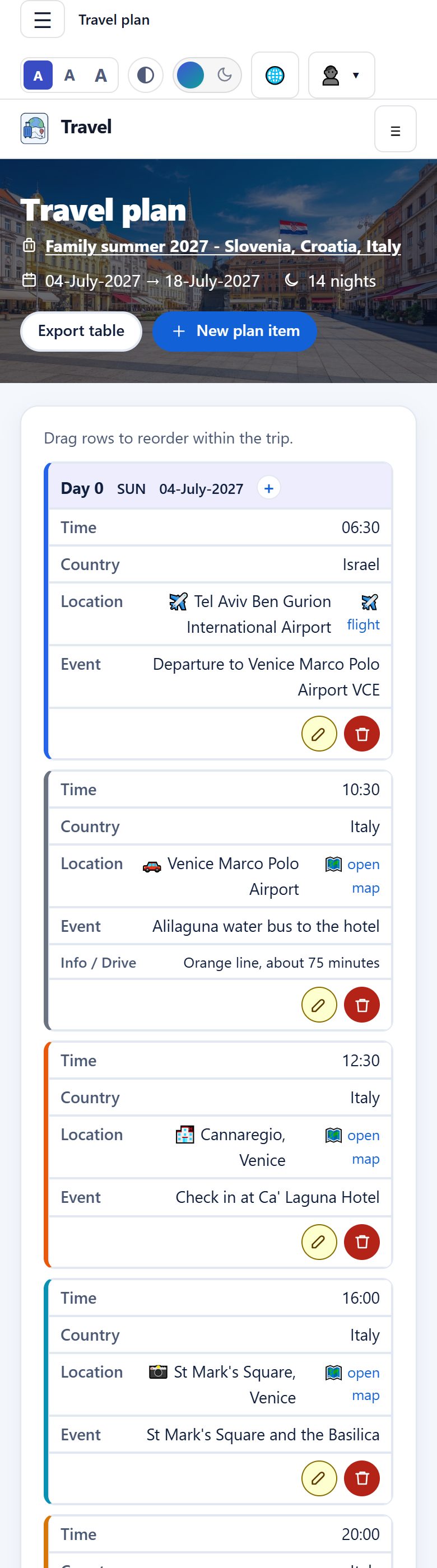
The travel plan is where the trip comes to life. Day by day, you add what you'll do: the time, the country, the place and the event, plus a note such as "Tickets booked for 09:00" or "About 3 hours to Bled". Every place gets an "open map" link, and each night shows where you sleep. Drag rows to change the order.
 (full-size image)
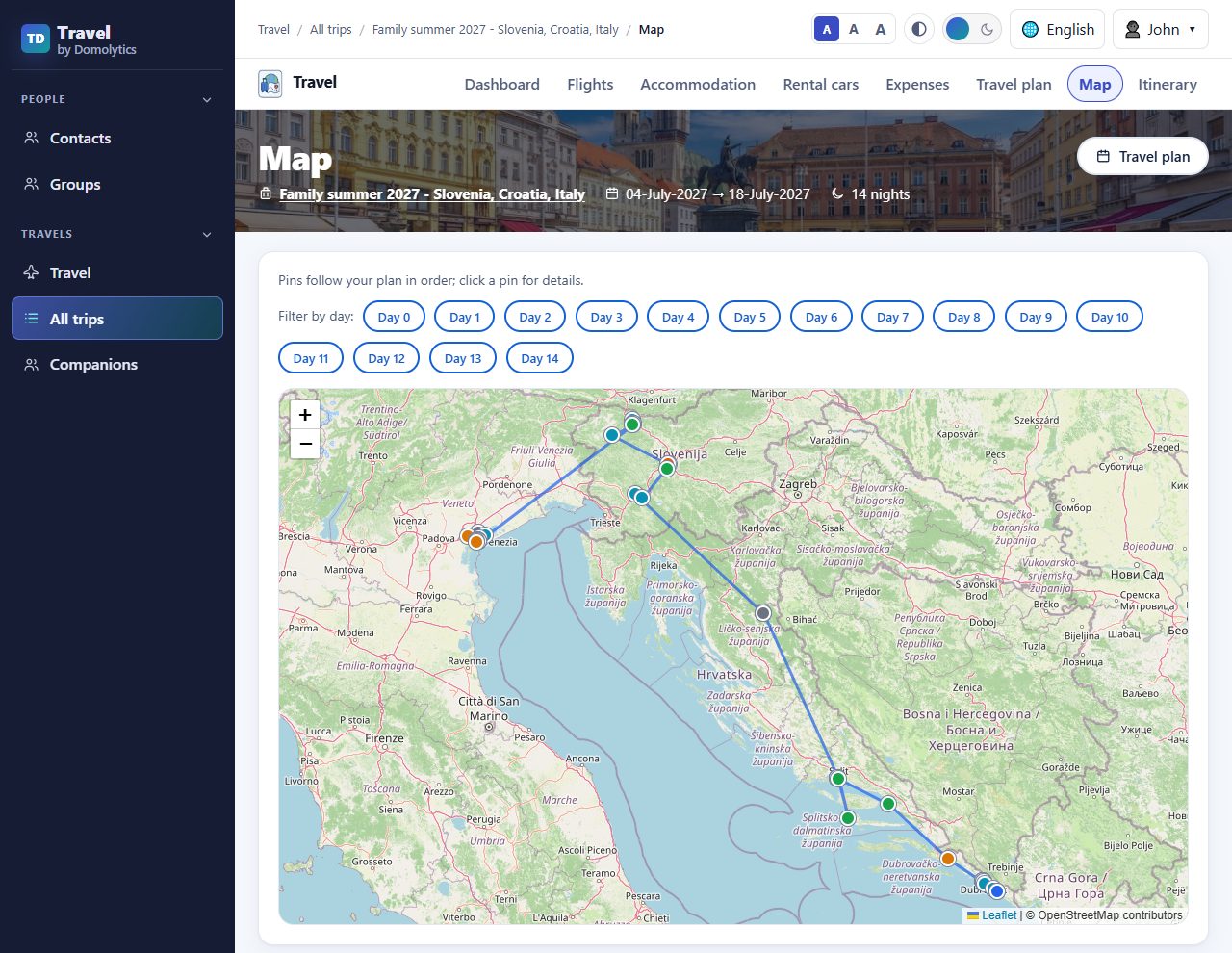
The map draws the whole route from the plan, pin by pin, in order. You can filter it by day.
 (full-size image)
An itinerary that writes itself, and a link to share it
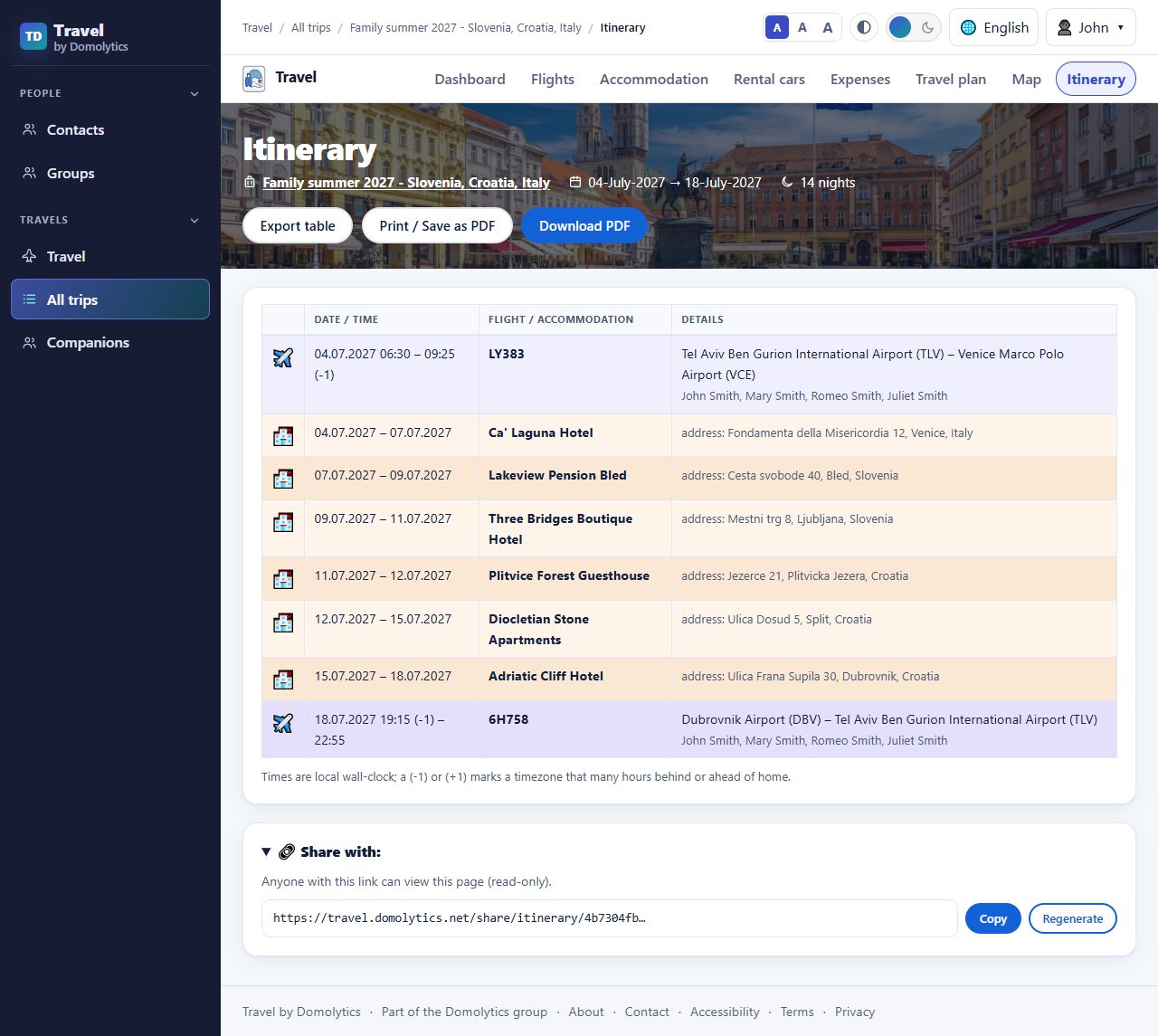
You never type the itinerary. It is built for you from your flights and accommodation: dates, times, flight numbers, hotel addresses and who is on each flight, in one clean table. You can export it, print it, or download it as a PDF for the trip.
At the bottom there is a share link. Send it to grandma, to the friends you're meeting, or to the colleague who'll pick you up at the airport. Anyone with the link can view the itinerary (read-only) without an account. If you want to cancel the old link, just regenerate it. The travel plan has a share link too.
 (full-size image)
Try it yourself: the real shared links
Here are the real share links of both demo trips. They are clickable. Each one opens the trip's plan or itinerary on the live site, exactly the page your family and friends will see when you share your own trip. No account is needed to open them.
Family summer 2027 – Slovenia, Croatia, Italy
Travel plan (opens in a new tab) Itinerary (opens in a new tab)For the real travelers
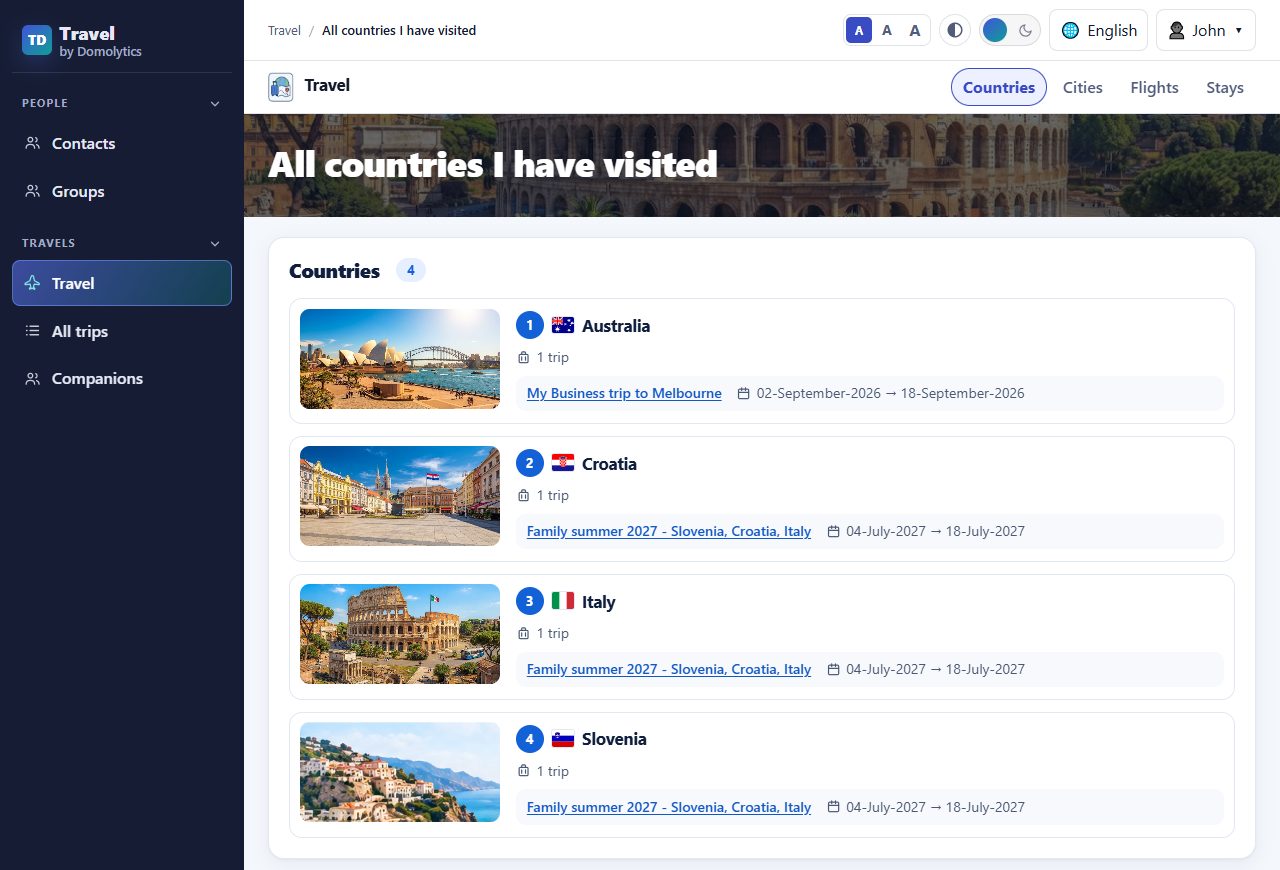
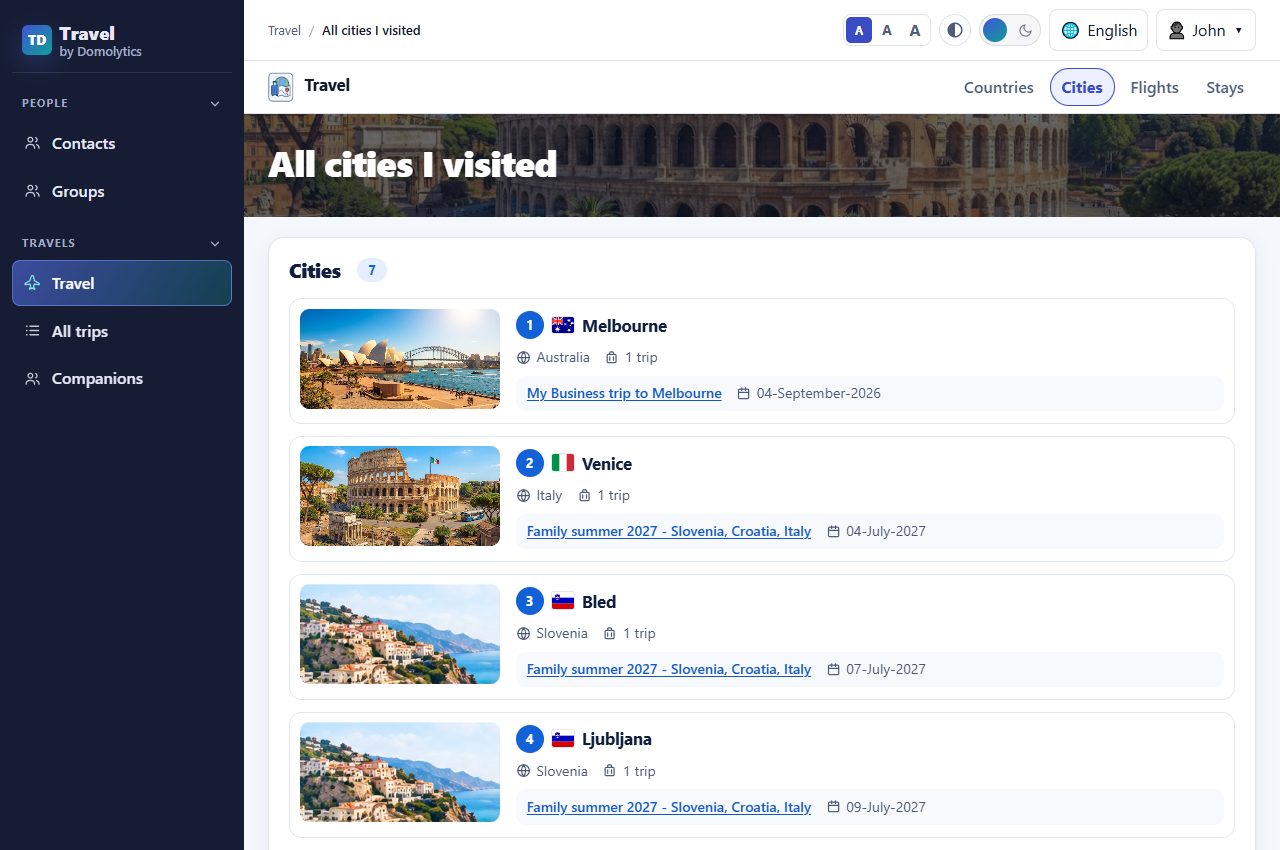
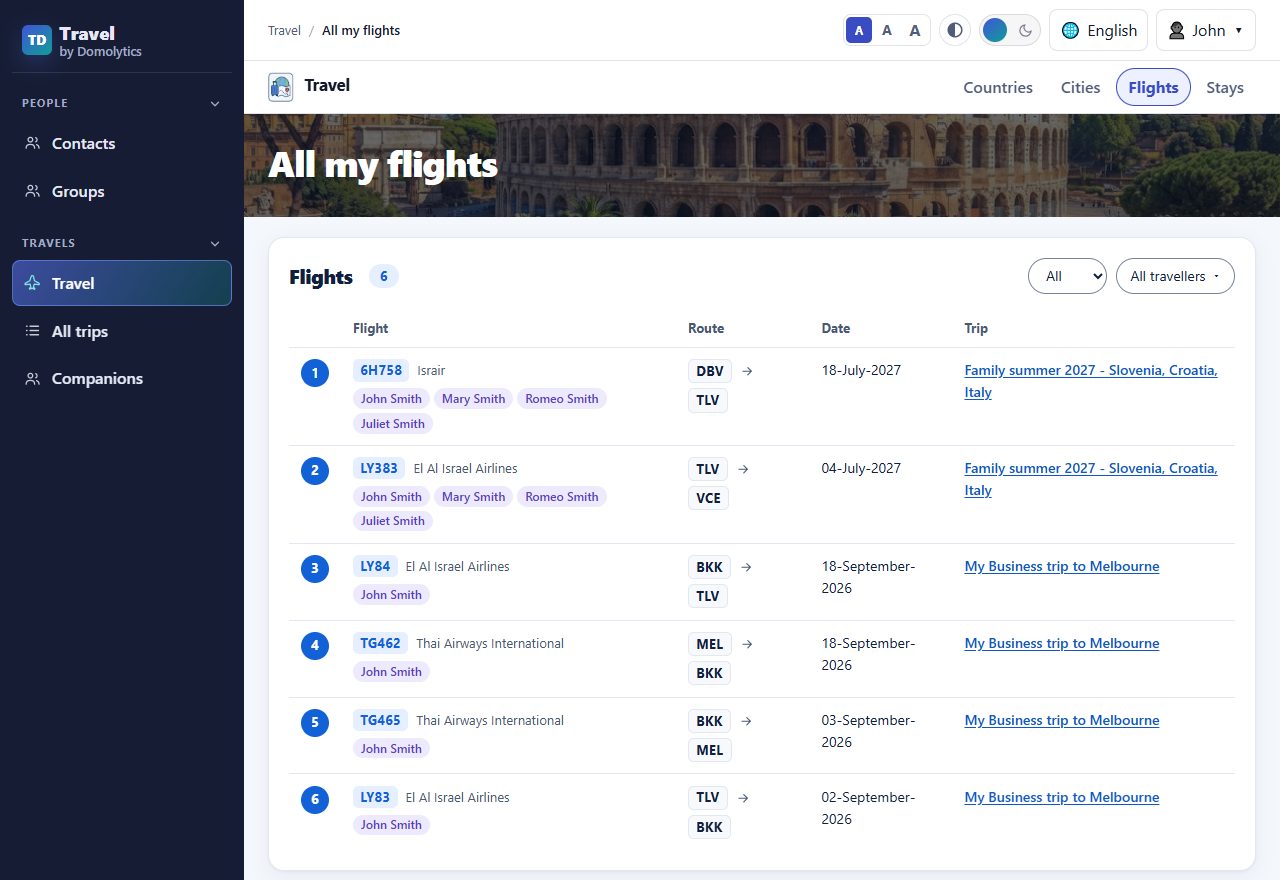
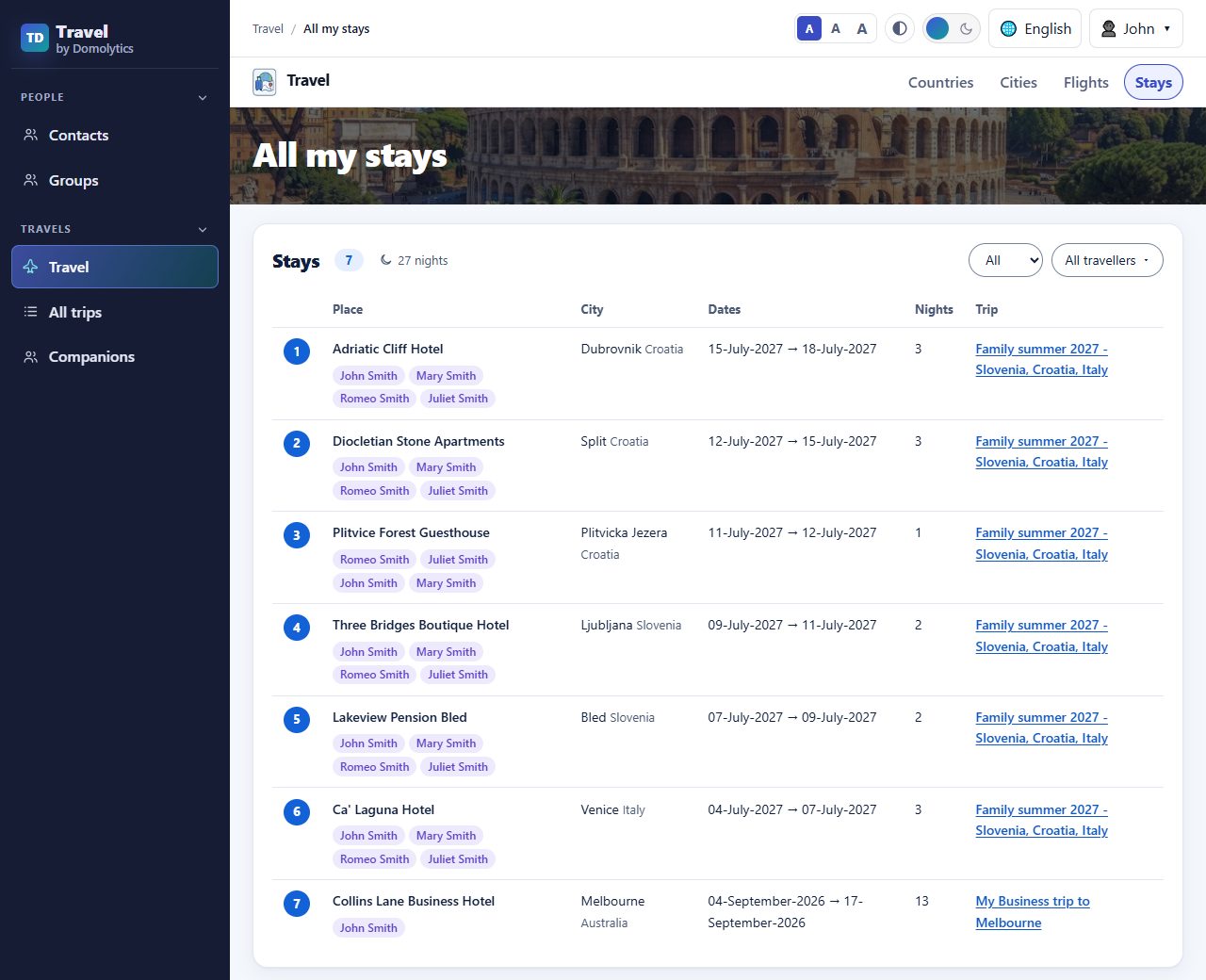
After twenty years on the road, I kept wondering: how many countries have I been to? How many cities? How many flights, and how many nights away from home? Now I just look. The numbers on the home page open four pages of their own: Countries, Cities, Flights and Stays. They fill in by themselves from your trips, and the more you travel, the better they get.
Countries shows all the countries you've visited, with links to the trips.
 (full-size image)
Cities shows all the cities you've visited, with links to the trips.
 (full-size image)
Flights shows all your flights, with links to the trips.
 (full-size image)
Stays shows all the hotels and apartments you've stayed in, with links to the trips.
 (full-size image)
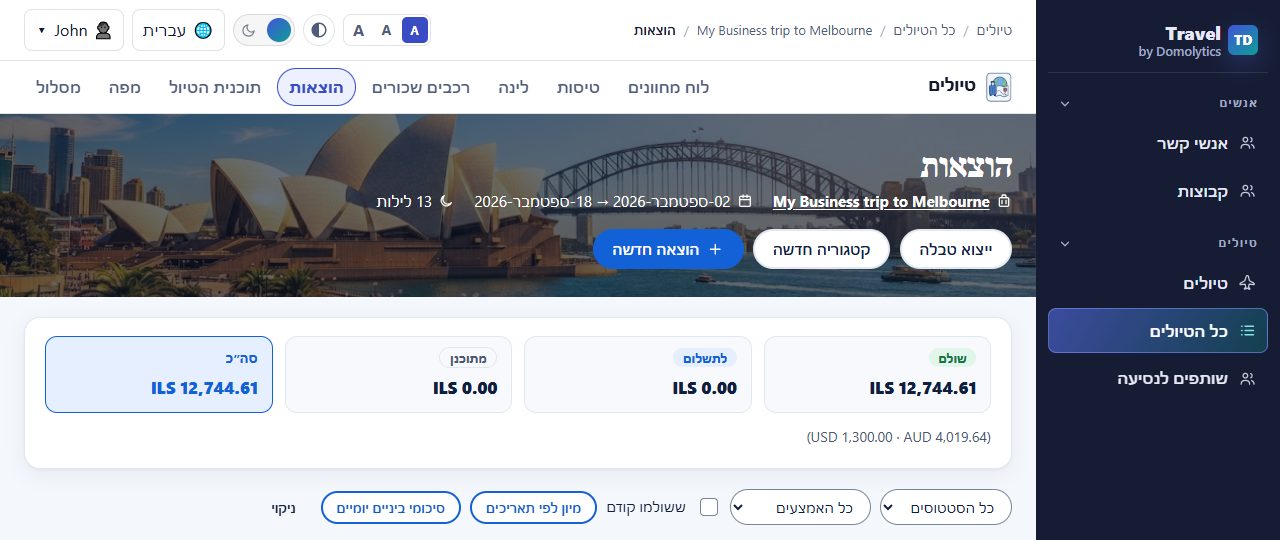
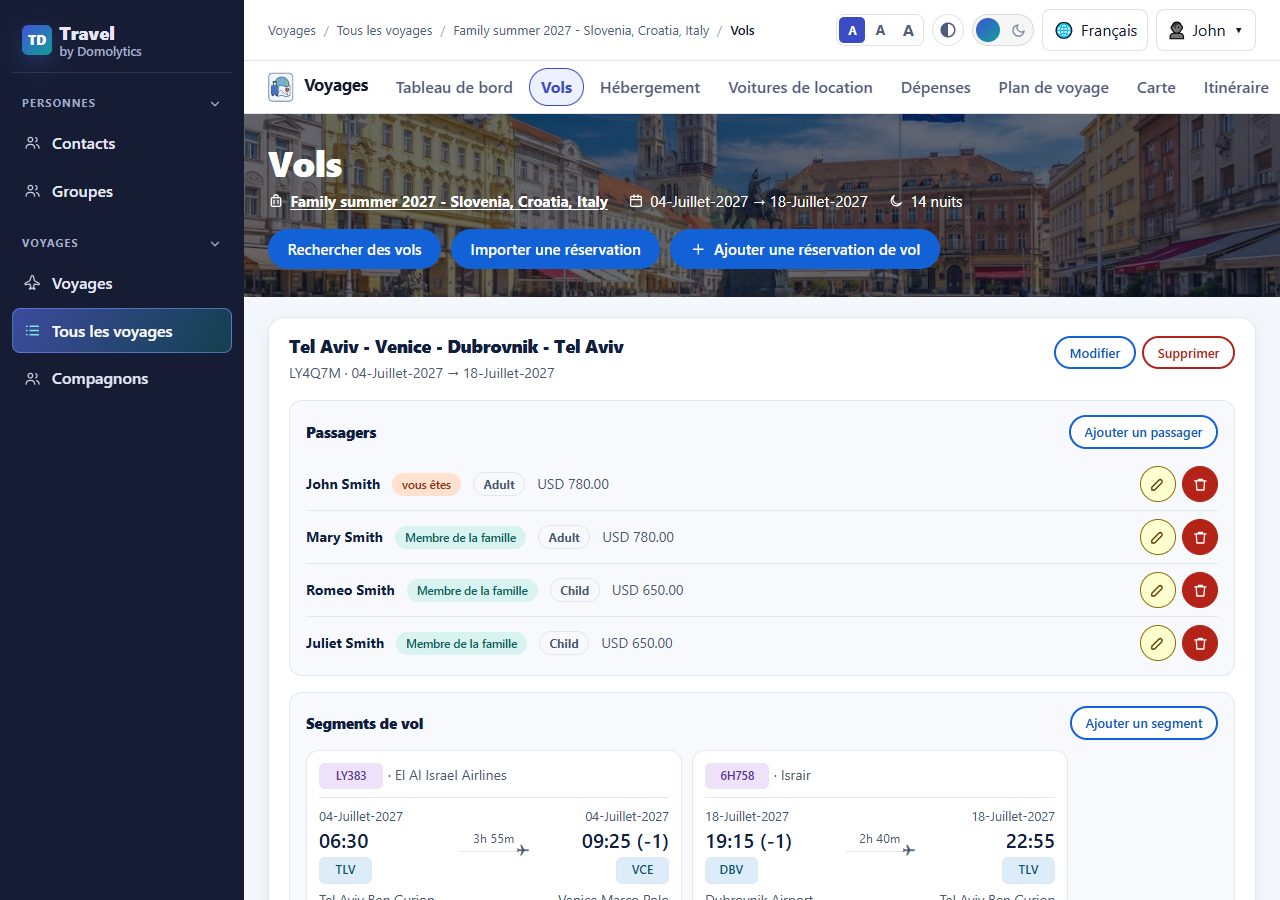
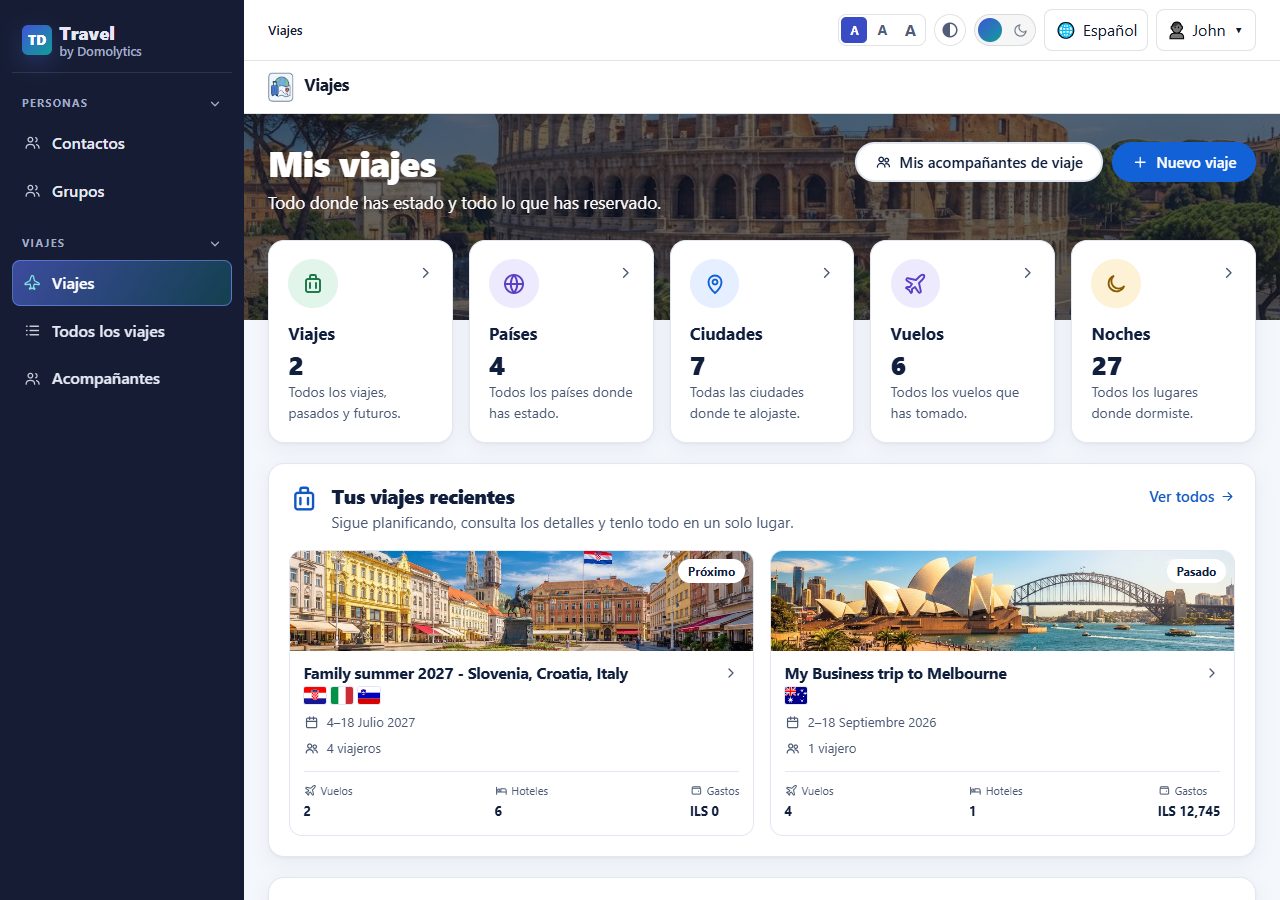
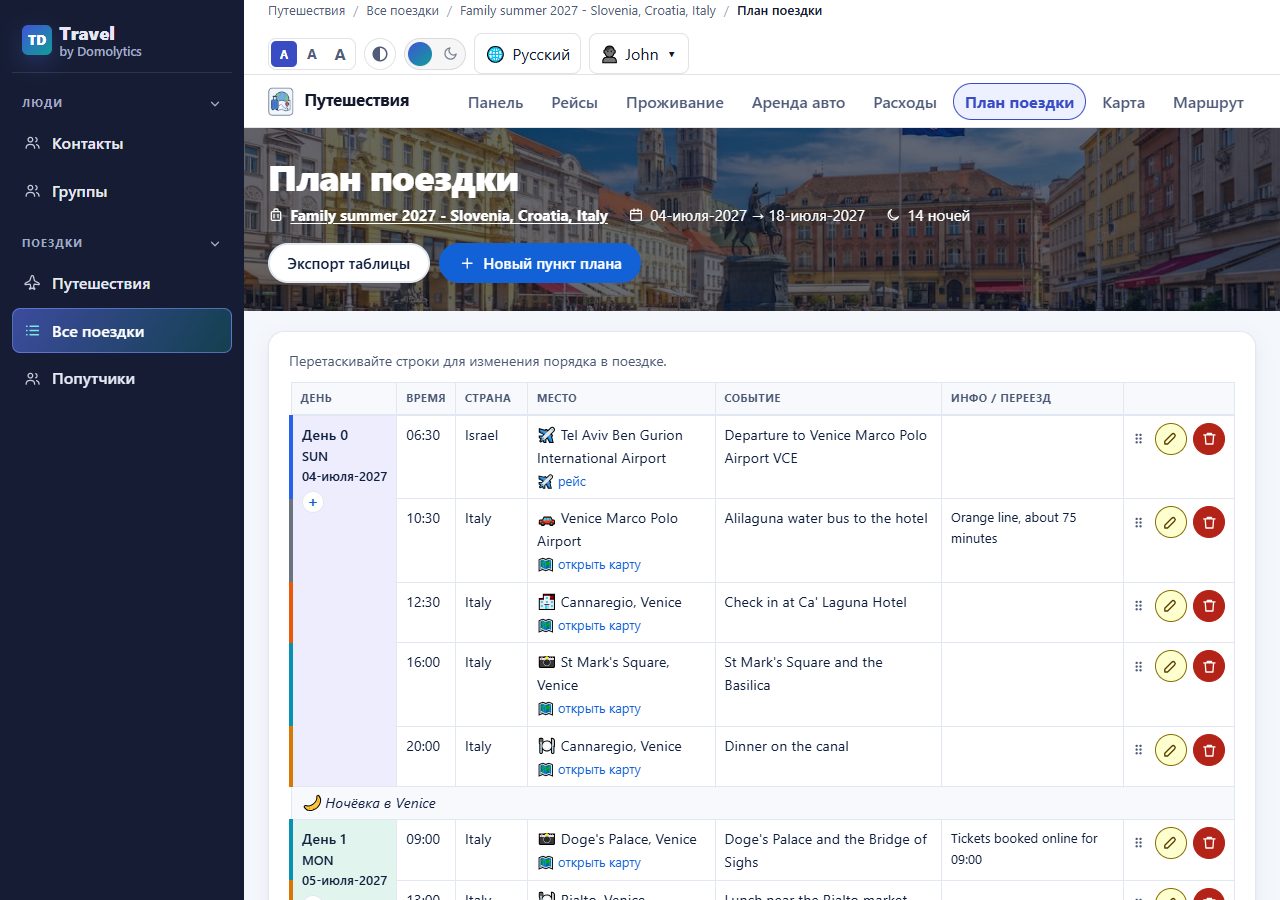
In your language, right to left too
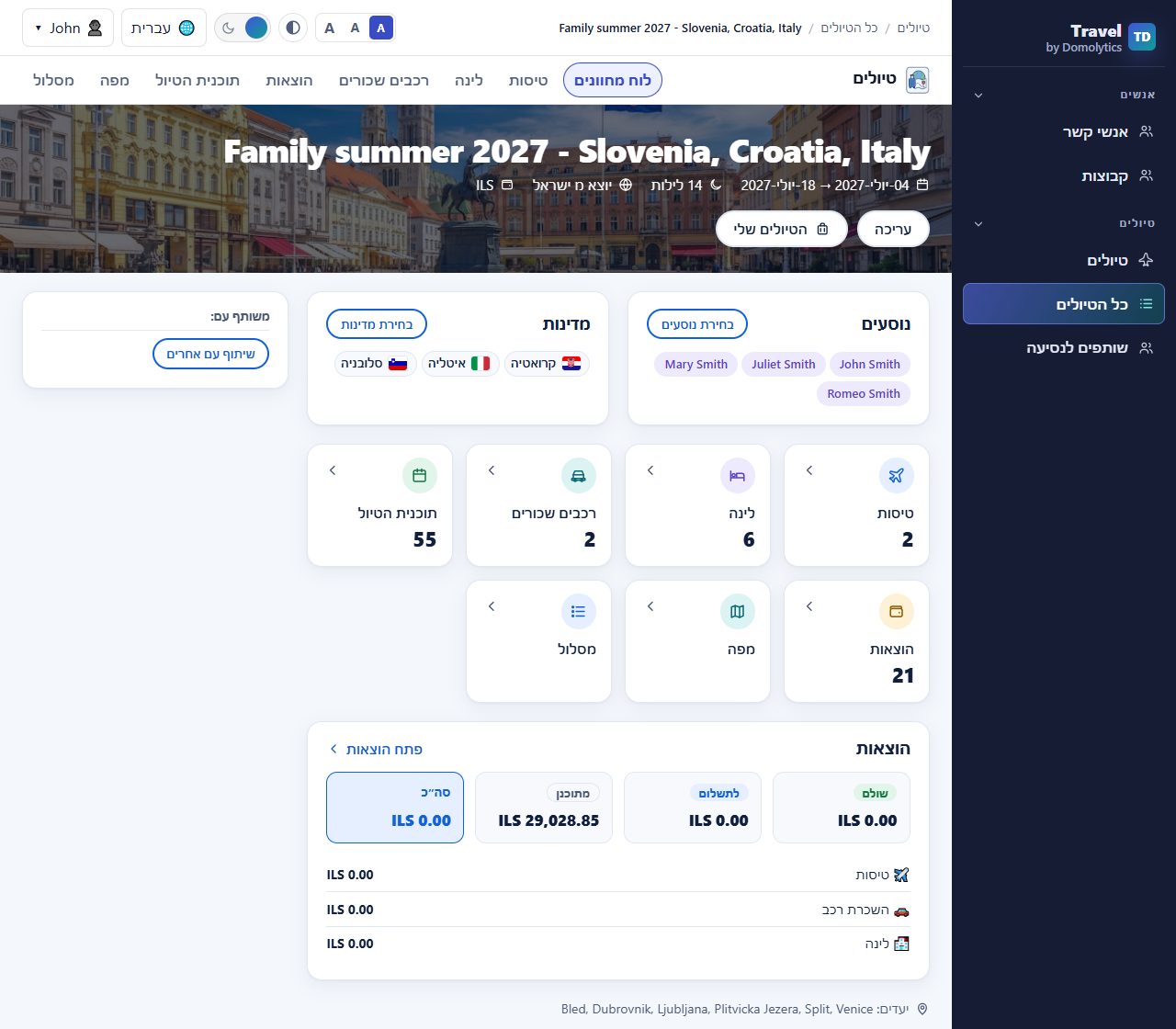
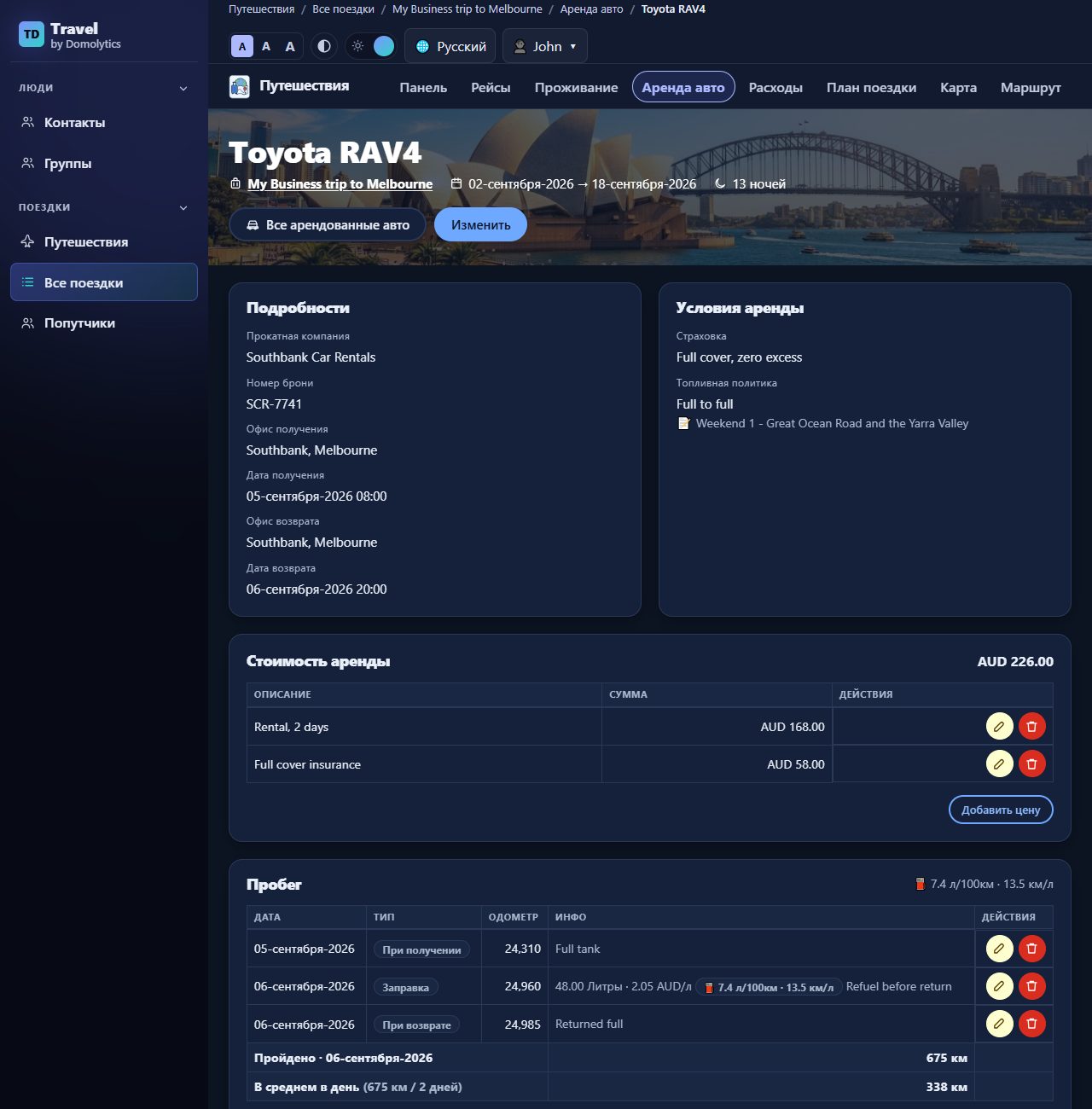
Travel by Domolytics speaks five languages: English, Hebrew, Spanish, French and Russian. Hebrew is fully right-to-left: the menu moves to the right, and tables and buttons are mirrored.
 (full-size image)
 (full-size image)
 (full-size image)
 (full-size image)
 (full-size image)
 (full-size image)
It's built to be accessible, too. You can make the text bigger, switch to a dark view or a high-contrast view, and use the whole site with the keyboard.
On your phone, wherever you are
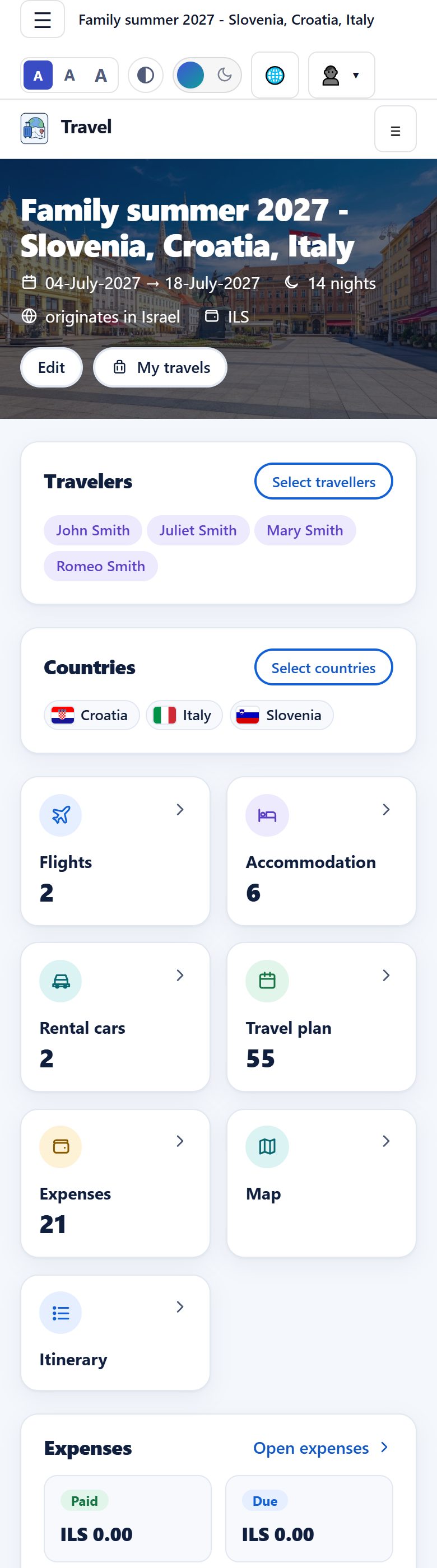
The best moment to check your plan is when you're standing at the rental desk or the hotel reception. Every page works on a phone.
 (full-size image)
 (full-size image)
What you get
- Create your trips, past and future.
- Flights with segments, passengers, local times and extras.
- Layovers and stopovers between connecting flights, found automatically.
- Accommodation with rooms, guests and notes.
- Rental cars with distance driven, average per day and fuel use.
- Expenses in categories, in the currency you paid in, converted to your base currency with live rates.
- Companions you reuse on every trip, and trips you can share with other users.
- A day-by-day plan with times, places and a route map.
- An automatic itinerary you can print, download as PDF, or share with a link.
- Your travel statistics: all your countries, cities, flights and stays, with links to the trips.
- Five languages, right-to-left Hebrew, dark view, and phone-friendly pages.
Your next trip deserves better than a spreadsheet
I built this for my own trips. Now I'd love it to plan yours. It takes a minute to sign up.
Travel by Domolytics · Screenshots taken from a demo account on the live site, October 2026.